
JDX Audio

Built around recording

JDX Audio is a recording studio for Windows. Direct ASIO®, built-in devices made for low-latency monitoring, a pitch editor, and a Synth that makes a new sound with every click.

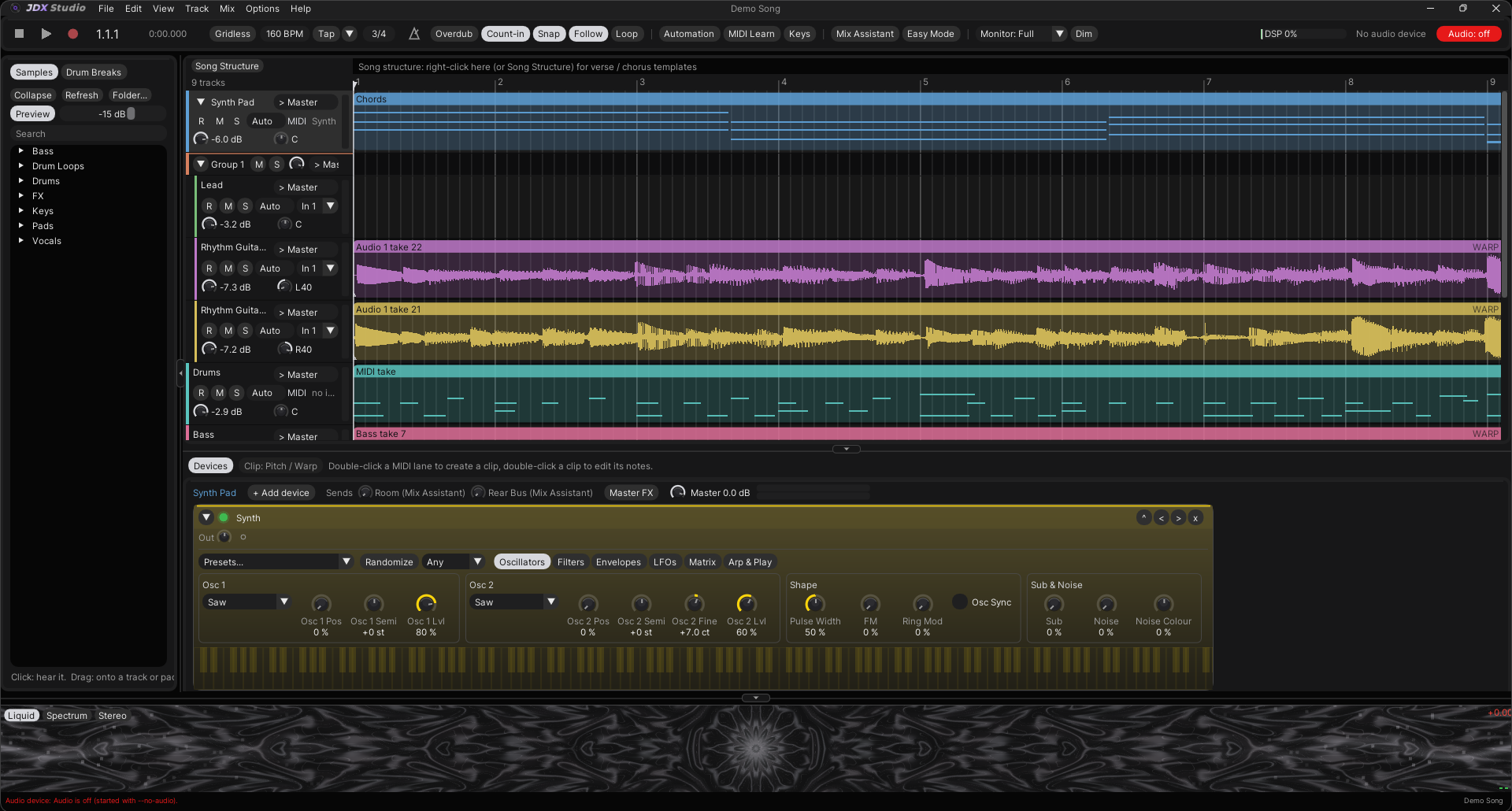
The Synth card: Presets, the Randomize button and its kind box, then the Oscillators page with two saw oscillators.

The Synth in the device panel. Randomize and the kind box sit beside Presets.

A new sound every click

New in 1.23. Pick a kind and press Randomize. JDX Audio builds the patch the way that kind of sound is made, plays it silently first, throws away anything silent or harsh, and sets it to the presets' level. Every knob shows what it chose, so you can take it from there.

Bass: ReeseWhat the status line says. Ctrl Z brings back the sound before.

What is in the box

Recording

Record and stopF9

Arm a track with R, press F9, and Space to stop. A count-in bar first, if you like.

Loop recordingCtrl L

Every pass inside the loop is kept. Step through Pass 1 of 4 and keep the best.

Input effects, printedAuto Set

Gain, gate or compressor on the live input, recorded into the take.

Capture MIDICtrl Shift C

Played something good without recording? It becomes a clip.

Easy Modeone screen

Pick a sound, check the mic, record, keep the best take, finish the song.

Editing

Slice, join, duplicateCtrl E

Cut at the selection, the click or the playhead. Ctrl+J joins, Ctrl+D copies.

Pitch editorper clip

Each note as a blob on a piano grid. Correct to the key, move notes, shape vibrato.

Quantise audioCtrl U

Moves the hits to the grid. Warp to Bars keeps the feel in between.

Align tracksCtrl Shift U

Tighten a double or a section against a reference track or the grid.

Undo History300 steps

Every change with what it was and when, saved with the project.

Instruments

Synth100 presets

Two oscillators with wavetables, two filters, a six-slot matrix and an arpeggiator.

Drum Rackper-pad effects

Your samples on pads. Tune to Song tunes 808s and toms to the key.

Sampler and Organincluded

One sample across the keys, and a drawbar organ with rotary speaker.

No keyboard?M

Keys turns the computer keyboard into a piano, with octave and velocity keys.

VST3 instrumentsscanned at start

A plugin that crashes is silenced, and JDX Audio keeps running.

Devices and mixing

Built-in effects45+

EQs, compressors, saturation, amps and cabinets, reverbs, delays, pitch, restoration.

Ready-made chains150+

For vocals, drums, bass, guitars, keys, synths, buses and masters. All ordinary devices.

Mix & Masterone undo

Balances, EQs, compresses and masters your rough mix. It never tunes a vocal.

Find MaskingMix > Analyse

Where one track covers another, at which frequency, and the cut that makes room.

ExportWAV, MP3

Platform presets, loudness and true-peak targets, dither. Checked when done.

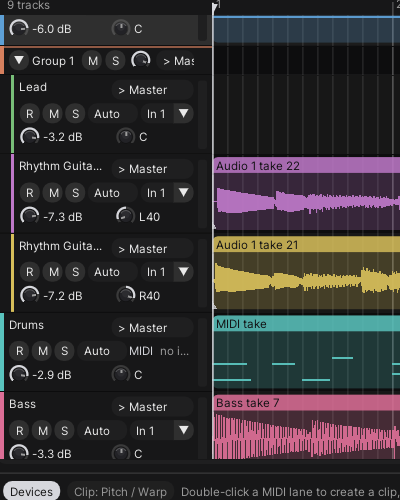
Track headers: arm, mute, solo, monitoring, input, volume and pan.

A session, left to right

Plug in

Options > Audio Settings. Your interface's ASIO driver, or any Windows output through WASAPI with no driver at all. Start at 48 kHz and 128 samples.

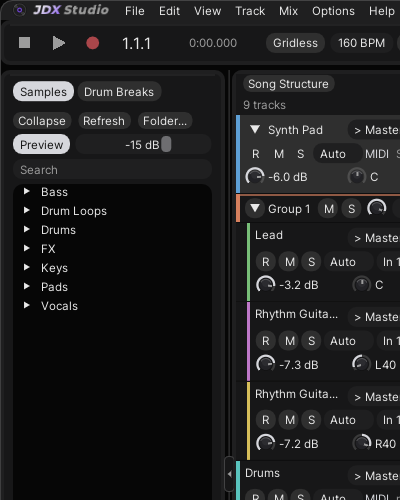
The menu bar, transport and sample browser.

Arm and record

Pick the input in the track header, click R, press F9. The Input Level Guide keeps peaks between -18 and -6 dBFS.

Track headers with arm, mute and solo keys, input and level.

Keep the best pass

Loop a section and record. Every pass is kept; right-click the clip and step through them. Each recording is also kept as a take.

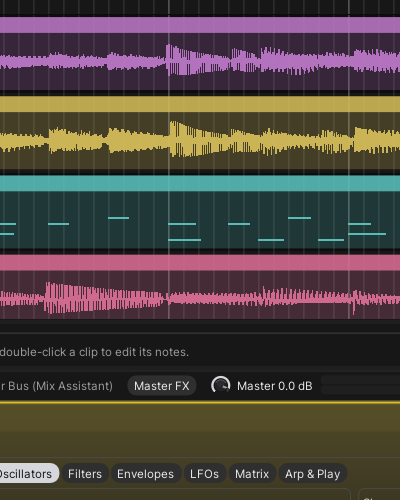
Two guitar takes as waveforms in the arrangement.

Play the parts

A MIDI keyboard, or Keys on the computer keyboard. Fix the notes in the piano roll, draw with B.

A drum MIDI clip with its notes in the arrangement.

Shape the sound

Devices in the panel below the tracks. Auto Gain keeps the level steady so you judge the tone, and nothing pushes past 0 dBFS.

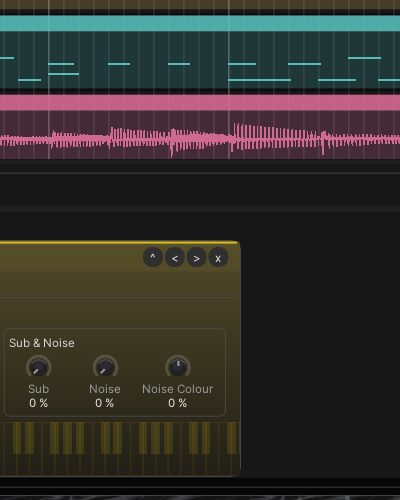
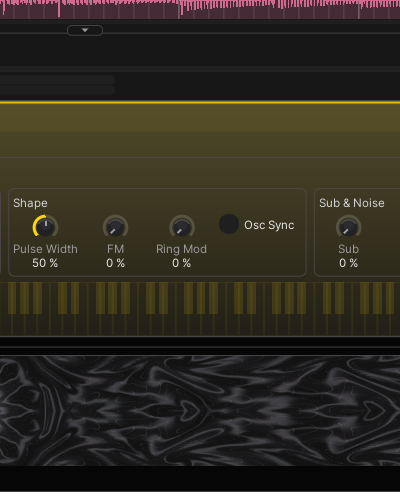
Synth knobs in the device panel.

Mix and export

Mix Assistant, then Mix & Master to a loudness you pick. File > Export Mix to WAV or MP3, checked when it is done.

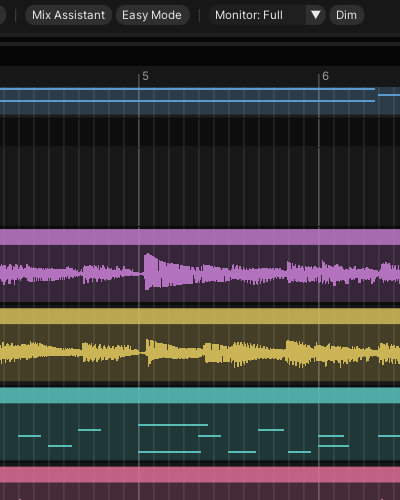
The toolbar with Mix Assistant and Easy Mode.

One licence, every device

One payment covers 2 computers, such as a desktop and a laptop. Every instrument, device and chain is in it; nothing is sold separately. Try the whole thing for 14 days first.

JDX Audio licence

Licence, 2 computers
US$29.99
GST, VAT or sales tax
included
Synth, Drum Synth, Organ, Drum Rack, Sampler
included
45+ effects, 150+ chains
included
Mix & Master, Easy Mode
included
Updates to version 1
included

Paid through Paddle.com, our Merchant of Record. The price includes any GST, VAT or sales tax for your country.

TotalUS$29.99

Short answers

Do I need an ASIO driver? No. WASAPI works with any Windows output. ASIO gives the lowest latency with an audio interface.

Which plugins does it run? VST3 instruments and effects, scanned from Common Files\VST3 at start-up. VST2 is not supported.

Will my projects open in later versions? Every version so far opens projects made in earlier ones, and they keep sounding the way they did when a device gains new controls.

Mac or Linux? No. JDX Audio runs on Windows 10 and 11, 64-bit.

How big is it? The installer is about 6 MB. No sample libraries are bundled; you bring your own samples.

Do I need admin rights? No. It installs for your Windows user, and settings and projects are kept on update.

Does Mix & Master tune my vocal? Never. It mixes and masters; tuning is always yours to do, with Tune or the pitch editor.

More questions? Every answer, or the support page.